Who can see and do what
In your workspace there are two kinds of things, and they follow different rules. Once you know which is which, who-can-do-what becomes simple.
The two kinds of things
- Shared team knowledge: your ICPs, personas, problems, and solutions. This is your collective targeting and strategy. It has no single owner; it belongs to the whole team.
- Individually owned records: your contacts and companies. Each one has an owner, the person responsible for working it.
The plain rules
- Shared knowledge: everyone can view it, so the whole team stays aligned. Only admins can edit it, so your strategy stays consistent.
- Owned records: admins can do everything. A member can view and edit the records they own and the ones nobody owns yet, but can't see records owned by someone else.
- Outreach: you can draft and send messages for records you own or that nobody owns yet. Members can't send for someone else's records.
- Admins clearing a teammate's queue: an admin can send a message that's already waiting for approval on a teammate's contact, so nothing sits blocked while someone's away. When they do, it goes out from the owner's connected account, under the owner's name and daily limits, and stays in the owner's conversation. Asking the AI Agent to write a new message for someone else's contact still isn't allowed: an admin reassigns the record first.
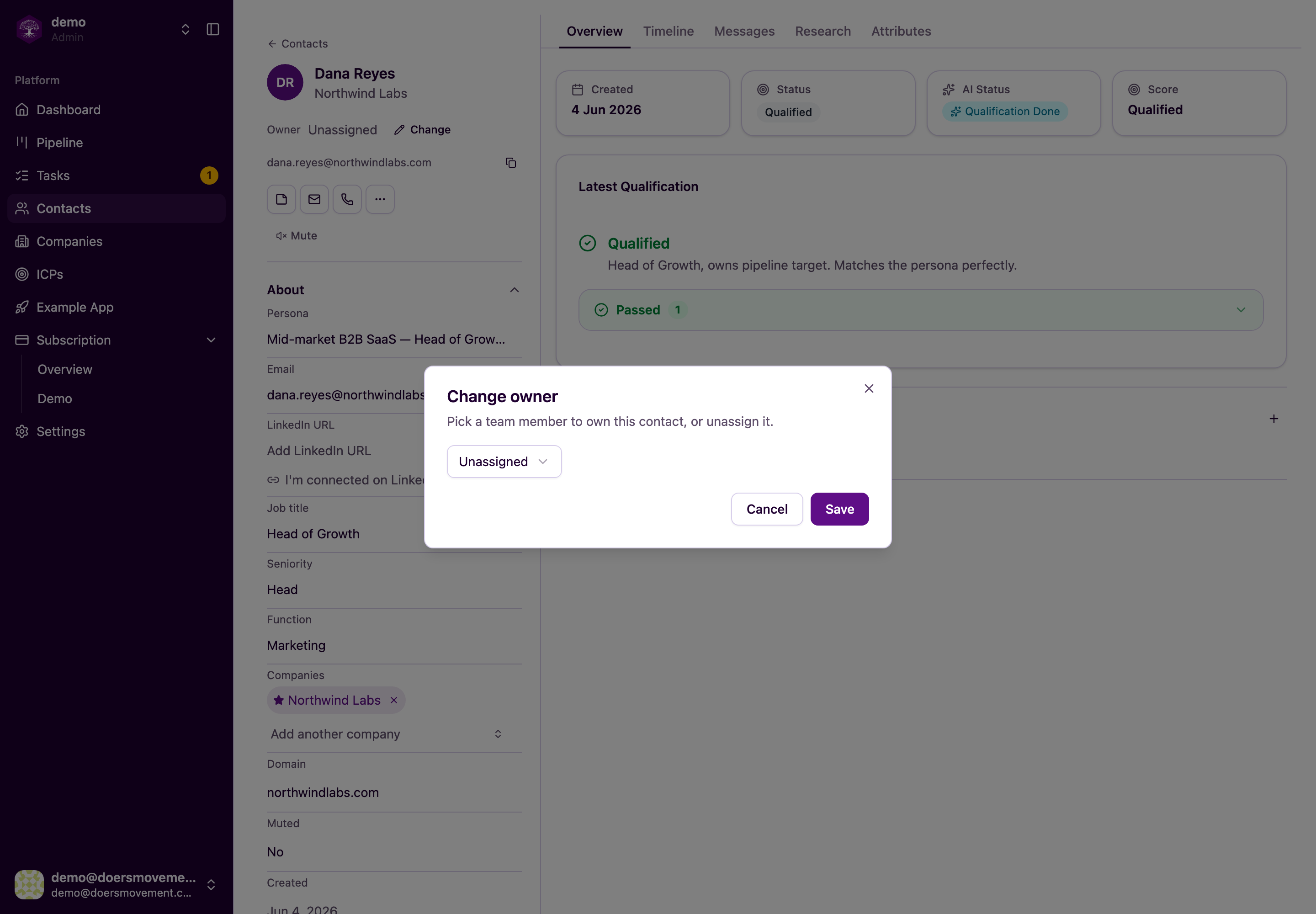
- Assigning an owner: this is admins only. Admins decide who's responsible for each contact and company. You can also just ask your AI Agent — "give these three to Sam" — and it makes the same change, with the same rule: if you're not an admin, it'll tell you so instead of doing it.
- Records your AI Agent creates: when you ask your AI Agent to add a contact or company, it's yours, exactly as if you'd added it yourself. Work the AI Agent does on its own in the background, like finding new people at a company you qualified, belongs to your team's admin, who can hand it to whoever should work it. Admins can also say who should own it up front: "add Acme and give it to Sam".
- Records you import from a spreadsheet: one simple rule for every import, contacts or companies. Pick an owner under Assign Owner and that teammate owns everything the import brings in — the people and any new companies they work at — so their book is ready to work the moment the import finishes. Leave it on Unassigned and everything stays in the shared pool, for anyone on the team to pick up. Only admins choose; when a member imports, the records are theirs. A re-import never takes a record away from whoever already owns it.
- Contacts from your LinkedIn network: these already have an owner the moment they arrive — you, the person whose account they came from. They're not part of the unassigned pool the whole team can pick up, and an import never takes a contact away from whoever already owns it.
Contacts, Companies and the Pipeline open showing everything you're allowed to see, so nothing is hidden when you arrive. Admins see the whole team under All owners; members see Everything I can see — their own records plus the unclaimed ones. Pick Mine to narrow down to what you're responsible for, or Unassigned to find what nobody has picked up. If a page looks emptier than you expect, check the owner box: it's highlighted whenever it's narrowing the list.
At a glance
| Action | Admin | Member who owns it | Member (someone else's or unassigned) |
|---|---|---|---|
| View | Yes | Yes | Unassigned: yes · Someone else's: no |
| Edit | Yes | Yes | Unassigned: yes · Someone else's: no |
| Have the AI Agent write a message | Own or unassigned only | Yes | Unassigned: yes · Someone else's: no |
| Send a message that's waiting for approval | Yes — from the owner's account | Yes | Unassigned: yes · Someone else's: no |
| Assign owner | Yes | No | No |
"Unassigned" is shared ground. A contact or company nobody owns is visible to everyone on the team, and anyone can work it. Editing one doesn't make it yours — it stays unassigned until an admin assigns it, or until you have the AI Agent draft a message, which puts it in your name so the message goes out from your account.
When in doubt, access is denied. The system always errs on the side of privacy. If it's not clearly yours to see or change, you won't be able to.
This keeps things tidy: members stay focused on their own book of business, admins keep the bigger picture and the shared strategy, and nobody accidentally steps on someone else's deals.
Related
- Your team & members: invite teammates and set their roles.
- Invite a teammate & assign leads: a step-by-step recipe.
- Plans & credits: how the AI's work is powered, and how billing works.