Send your first outreach
What you'll get: a personalized first message to a qualified prospect, drafted by the AI, approved by you.
Steps
-
Kick it off. Move a qualified contact to To Contact (using the Status control or the pipeline), or just ask your main AI Agent to draft an intro. A few things need to be in place first: the contact is qualified and matched to a persona, your ICP has a linked problem, and they have a usable channel (email or LinkedIn). See Starting AI work.
-
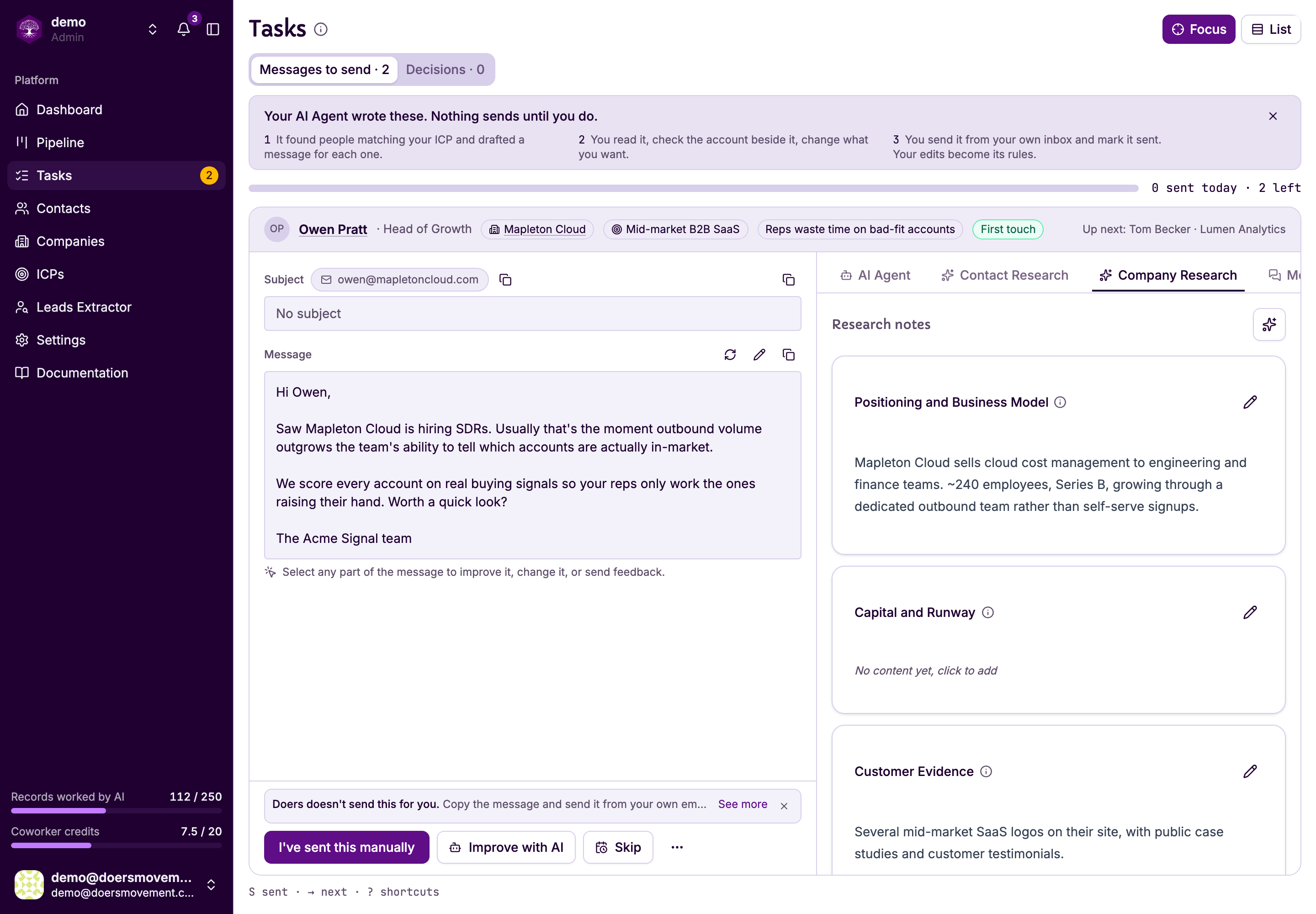
Find it in Tasks. The draft lands on the Messages to send tab, with everything you need to judge it beside it — who they are, why this angle, and the research behind it.
-
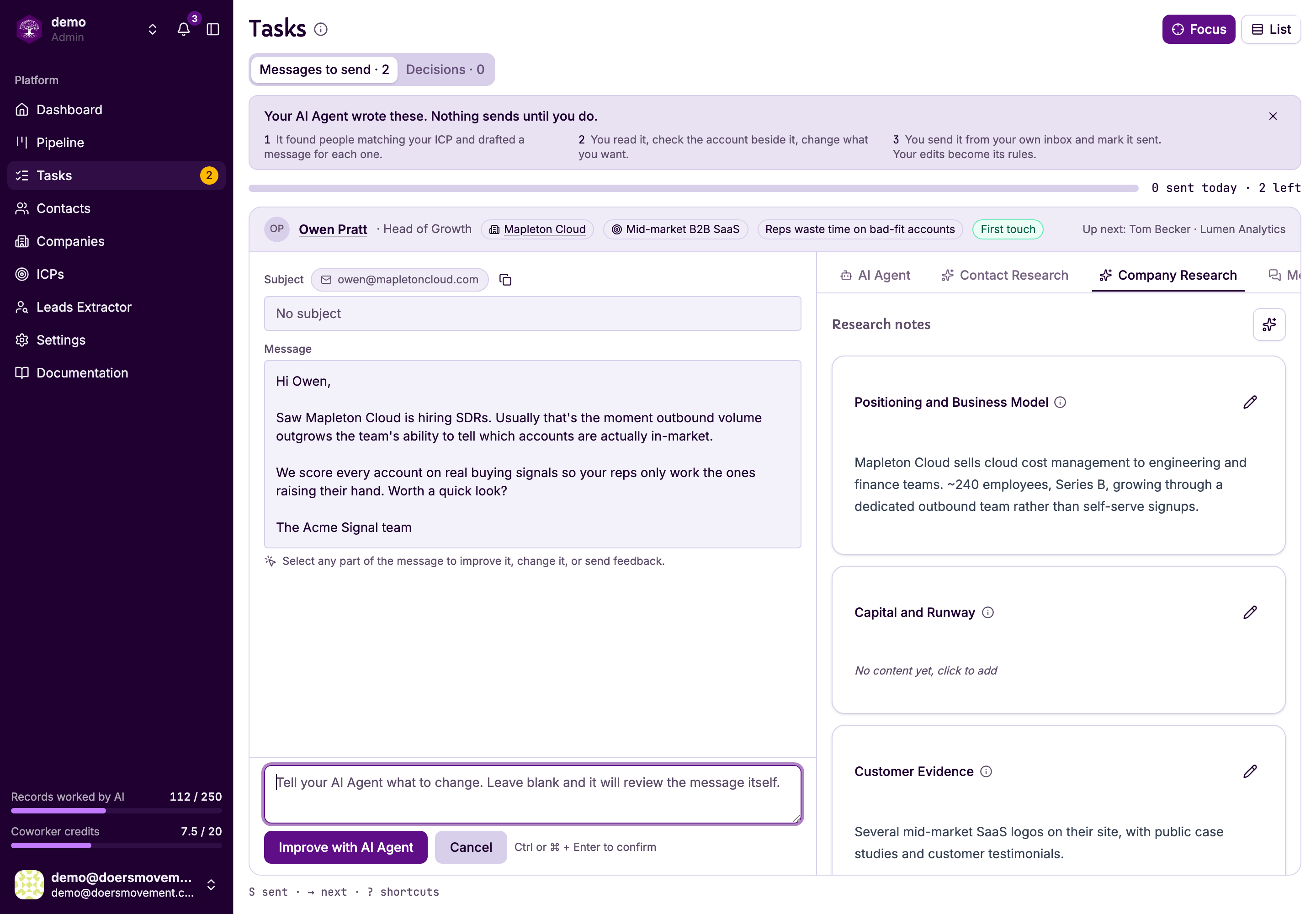
Read it, reshape it, send it. Tweak the wording and press Save changes, or ask your AI Agent to change it with AI Refine. Then send it and press I've sent this manually. Not the right moment? Skip them for a week or two and they come back on their own.
You'll know it worked when… the message is saved to the contact's conversation.
Nothing sends on its own; your AI Agent only drafts, and you always send. A sending limit also stops you going over your plan by accident.