Invite a teammate & assign leads
What you'll get: teammates in your workspace, each owning the contacts they're responsible for.
As your team grows, bring them in and divide up the prospects so everyone knows what's theirs.
Steps
-
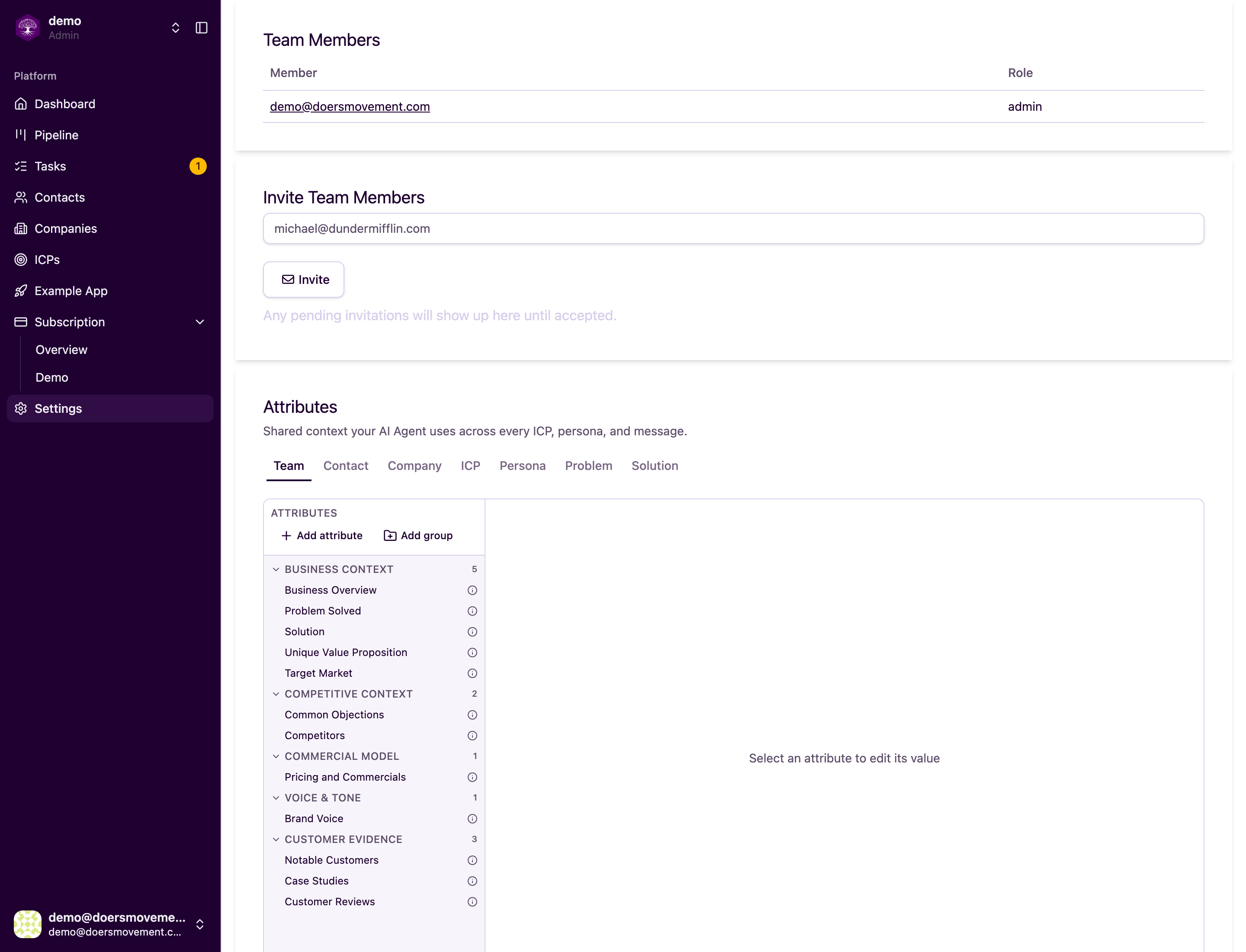
Open Team settings. Find Team Members and Invite Team Members. This is where you see who's already in your workspace.
-
Invite by email and set their role: Admin (full control) or Member (works their assigned records). Pick Member for anyone who should focus on their own leads.
-
Assign owners. On a contact or company, click Change next to the owner to assign a teammate. You can also assign many at once from the list's bulk actions.
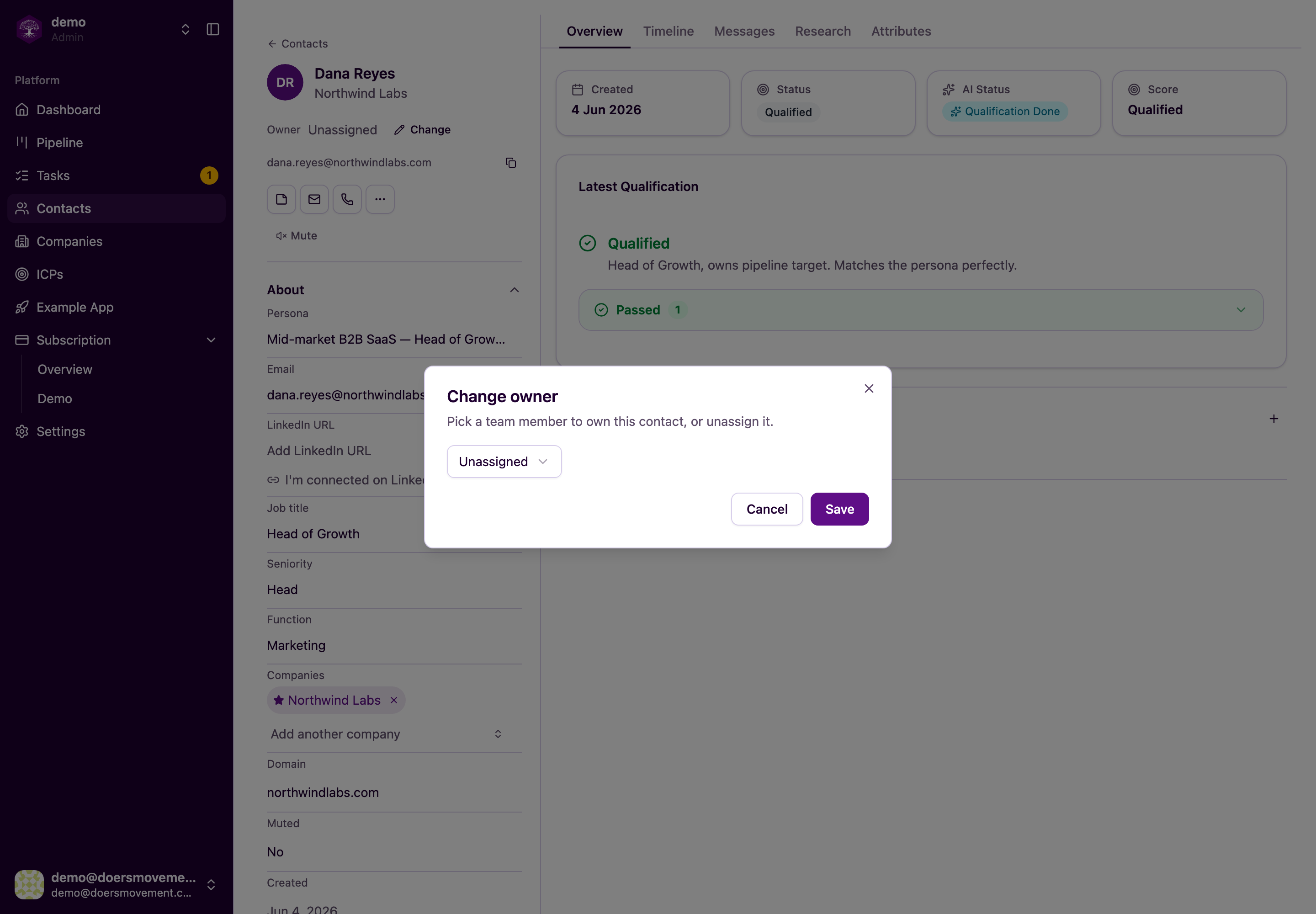
You'll know it worked when… each teammate sees the records they own.
Assigning owners is admins only. Members can work the records they own or that are unassigned. See Who can see and do what.