Connection requests
You have to be connected to someone before you can message them on LinkedIn. Doers Movement tracks where you stand with each contact, and can ask for the connection on your behalf.
The four statuses
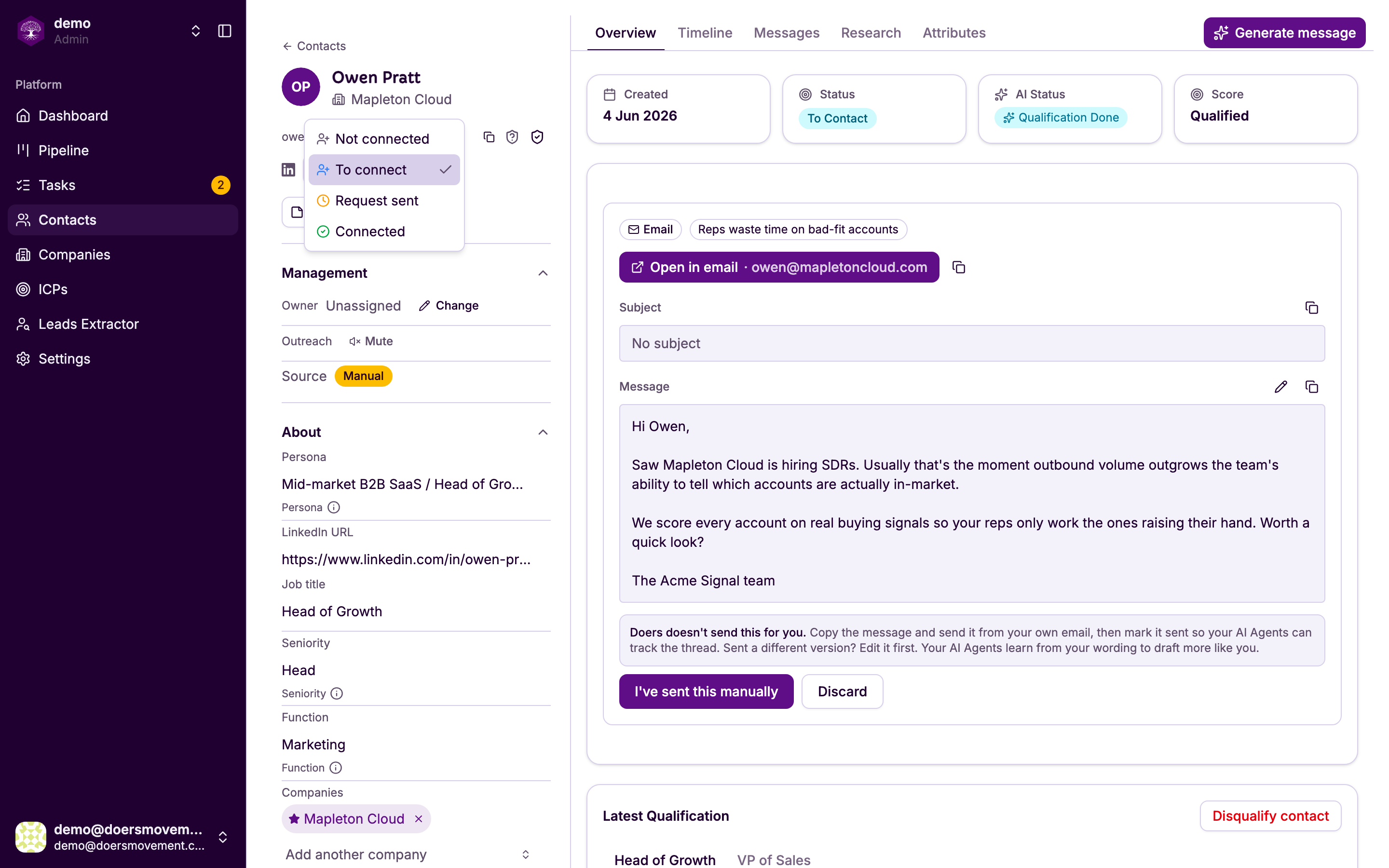
Each contact carries a LinkedIn status for you personally. A teammate looking at the same contact sees their own.
| Status | What it means |
|---|---|
| Not connected | No relationship recorded |
| To connect | Send a request. This is an instruction, not a label |
| Request sent | A request is on its way, or waiting for them |
| Connected | You're connected — LinkedIn messages are available |
"To connect" sends a real connection request from your account. It is the one status that causes something to happen. The other three describe where things stand.
Asking for a connection
Set a contact's LinkedIn status to To connect. The request joins your queue and goes out at a safe moment — you'll be told roughly when. The status moves to Request sent once it's gone.
You can also do this for many people at once from your contact list. See Bulk actions.
If you're already connected, or a request is already waiting, Doers Movement won't send a second one. Repeat requests to the same person are exactly what LinkedIn objects to.
Automatically requesting on qualification
In Outreach settings you can turn on automatically send connection requests to newly qualified contacts. When a contact qualifies, a request is queued for them without you doing anything.
It's off by default, and worth thinking about before turning on: your network is a personal asset, and this grows it based on your ICP rather than your judgement. Everything else still applies — the same daily limits, the same pacing, spread across your working day like anything else you queue, and never a second request to someone you're already connected to.
When they accept
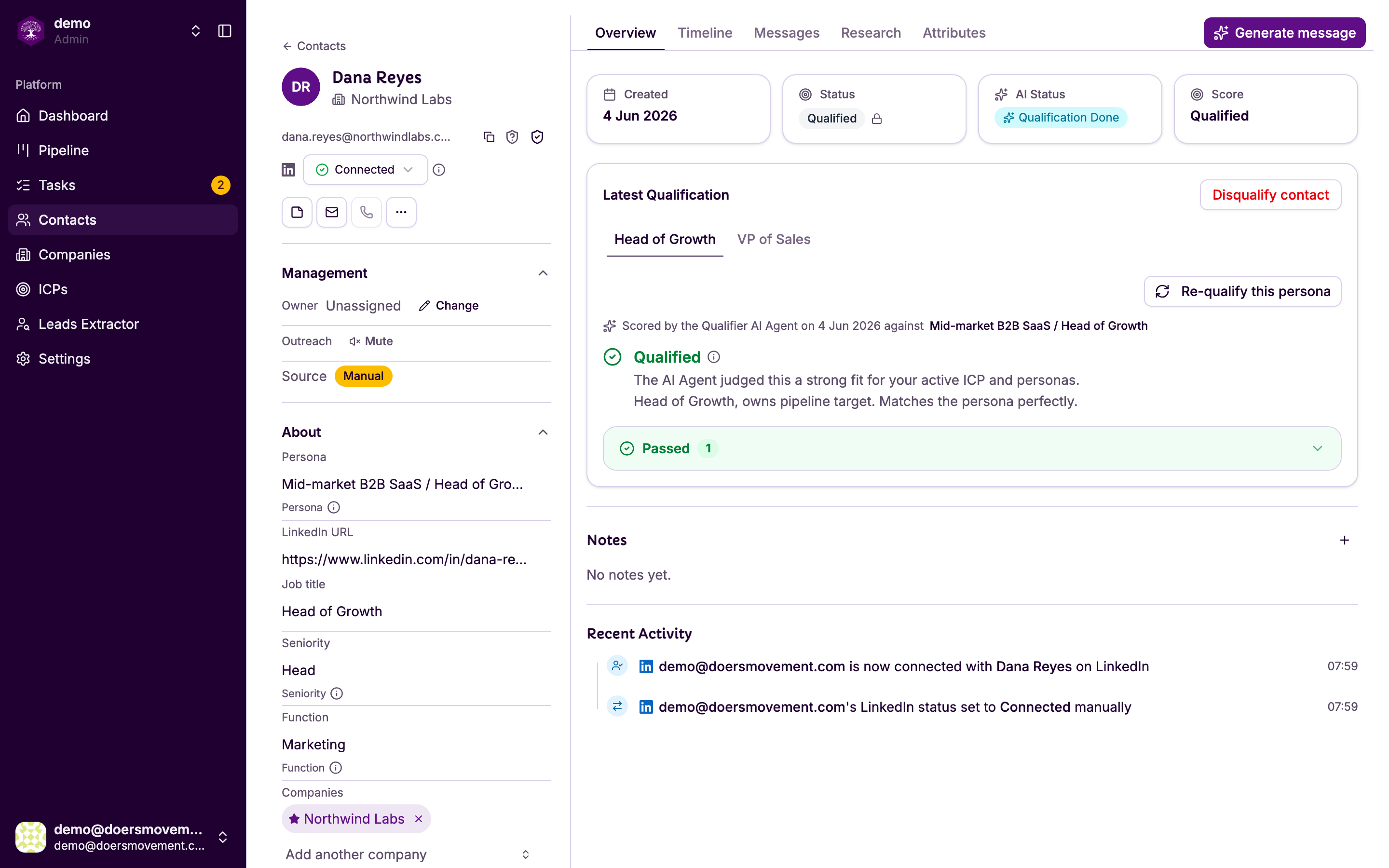
If your request included a note, LinkedIn opens a conversation the moment it's accepted, and Doers Movement notices within seconds and marks the contact Connected.
Without a note there's no conversation to notice, so it relies on LinkedIn's own updates — and those can take up to a few hours.
A gap between someone accepting on LinkedIn and the contact turning Connected in Doers Movement is normal. LinkedIn doesn't announce acceptances immediately, and we won't guess.
Either way, the contact's Timeline records the change and what caused it, so you can always see whether it was you, a teammate, or the system.
Related
- Messages and replies: what you can do once connected
- Staying safe: daily limits and pacing
- Statuses and lifecycle