Attributes: the facts your AI gathers
Every record in your CRM holds two kinds of information. There are the quick built-in fields (industry, size, revenue, location) that you can read at a glance, and there are attributes: the richer, written-out facts the AI gathers and reasons about, each one backed by a source.
Wherever you see a Details or Attributes tab, those are attributes. They are where the depth lives: the facts that explain why a company qualifies, not just what it does. And they live on far more than just contacts.
Attributes live across your whole CRM
It is not only contacts and companies. Several parts of your CRM carry their own attributes:
| Where | What it holds |
|---|---|
| Your team | Your business context: what you do, your voice, your proof points, that the AI reuses across every ICP, persona, and message. |
| ICPs | The story behind a target market: why now, your positioning, the angle. |
| Personas | What makes a buying role tick: goals, pains, objections. |
| Companies | Positioning, funding, customer evidence, recent triggers, warning signs. |
| Contacts | Recent activity, your personal notes, their interests. |
You edit a record's attributes on its own Attributes tab. Your team's attributes live in Team settings.
Built-in vs. your own
Built-in attributes come with every account, ready to go. Most of the rows above are built in.
Custom attributes are the fields you add, and they are all created in one place: Team settings → Attributes. That panel has a tab for each part of your CRM (Team, Contact, Company, ICP, Persona, and more) and on each tab you can:
- Add attribute: create a new field for that type, or
- Add group: organize related fields together.
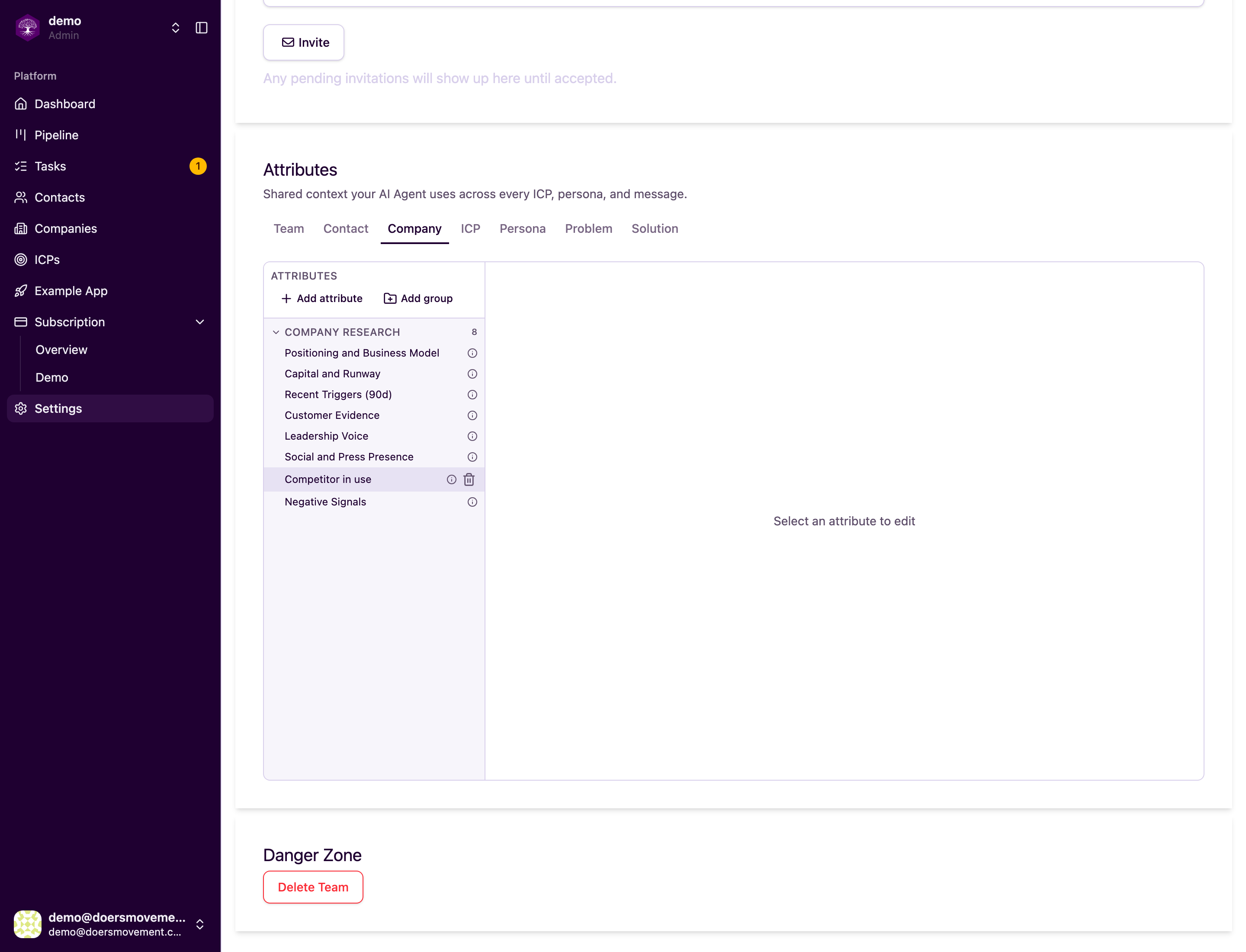
Built-in fields can't be changed or removed; your own custom ones can.
You define a field once in Team settings and it appears on every record of that type. Add a custom company field, and it shows up on all your companies, ready for the AI to research and for you to fill in. You then enter each record's value on its own Attributes tab (your team's values are edited right inside the same Team settings panel).
When to add your own
Add a custom attribute whenever there is something specific to your sale that the built-in set doesn't cover:
- Competitor usage: track whether a prospect already uses a rival, so the AI can flag switch opportunities.
- Compliance needs: note if they require something like SOC 2 or HIPAA, when that shapes whether you can sell to them.
- Your unique buying signal: whatever your wedge is, capture it.
The payoff: once you add it, the AI researches it just like any built-in fact, and you can turn it into a qualification rule so the Qualifier checks every prospect against it. See How Qualification Works.
How attributes power the AI
This is what makes the magic work: your AI Agents pass facts to each other through attributes.
- The Researcher gathers the facts, fills the attributes in, and attaches a source for each, so you can click through and trust it.
- The facts now live as attributes, evidence and all.
- The Qualifier reads those attributes to decide whether the prospect is Qualified.
- You get a clear verdict.
In short: Research gathers the facts, they live as attributes (with sources), the Qualifier reads them, you get a verdict.
Attributes vs. qualification rules
Easy to mix up, so here is the difference:
| What it is | |
|---|---|
| Attributes | The facts the AI gathers about a company, person, or market |
| Qualification rules | The checks the AI runs against those facts to decide whether a prospect is Qualified |
One feeds the other. See How Qualification Works to set up your own rules.
Every attribute keeps a history. You can see who set each value (your AI Agent, a teammate, or the system), when, and why, with the evidence behind it.
When an ICP is locked, its attributes (and its personas') become read-only. Clone the ICP to make changes. See ICPs.
You can set things up so the AI's proposed changes to a record wait for your approval before they apply. See Tasks & approvals.